Single-task Deep Work
Evidence for: real-world focused work time
Single-task deep work means choosing one real task, removing distractions and working only on that for a set block of time, noting each time your focus slips. It aims at more focused work time in your real life, not at a score. Lab findings show that switching tasks and phone notifications cost performance; evidence for deep work as a training method is still early, so judge it by your own records.
Who it suits
A good fit if you
- have work, study or writing that keeps getting broken up
- want a simple timer that counts distractions without stopping the clock
- like seeing your focused minutes add up week by week
- are willing to change your setup: notifications off, phone out of reach
Take care or choose something else if
- you are already overworked: this is about better blocks, not longer days
- your job needs quick responses (care work, on-call duty): use short blocks agreed with others
- you read the distraction count as a grade: it counts noticing, and it can rise as you get better
- you have ongoing trouble with attention that affects your life: talk to a doctor; a timer is not an assessment
How to practise
- Choose one specific taskType it at the top of the Deep Work Timer, for example “write the report introduction” or “do exercises 1–5 in chapter 3”, and decide what counts as done. The label is private: kept on this device, or in your account if signed in.
- Clear the decksSilence notifications, close unrelated tabs and put your phone out of sight. Have everything you need ready before you start.
- Pick a length you can finishChoose 5, 10, 25, 50 or 90 minutes. Start with 25; use 5 or 10 to get going on a task you are avoiding, and 50 or 90 once 25 feels easy.
- Choose a background sound, or noneOff, Soft noise or White noise: just a sound mask some people like, with no claims about effects on the brain.
- Tap “I got distracted”, then go backWhen you notice an urge to check something, or that your mind has drifted, tap the button and go straight back. Counting does not stop the clock. Jot stray to-dos on paper for later.
- Use pause and end honestlyPause only for real interruptions. If you finish early, press End now; sessions of a minute or more are saved. The clock keeps running if you switch apps, and the tab title shows the countdown.
- Take a real breakWhen the chime sounds, stand up, move, look into the distance, drink water. 5–10 minutes is plenty after a 25–50 minute block.
- Review once a weekUse the Weekly check-in linked from the result screen, or your notes: total focused minutes, distractions per hour, what helped, what got in the way.
How much and how often
- Per session
- One block of 25–50 minutes, or two to four blocks with short breaks for a longer stretch of work.
- Per week
- Start with one block a day on work or study days. Add blocks once the first is reliably protected.
- When to make it harder
- Lengthen blocks (25 → 50 → 90 minutes) only when you finish the shorter one on most days without checking messages.
A four-week starting plan
- Week 1One 25-minute block a day on your most important task. Learn to tap and return.
- Week 2Two blocks on most days. Fix the main distraction you noticed in week one (phone, email, a noisy room).
- Week 3Try a 50-minute block for work that needs warming up, such as writing or maths problems.
- Week 4Keep what works. Compare focused minutes and distractions per hour with week one.
A sample session
- 0–2 minType the task and decide what “done” means. Notifications off, phone away, materials ready.
- 2–3 minChoose 25 minutes and a sound (or Off). Press “Start focusing”.
- 3–27 minWork only on the task. Tap “I got distracted” when you catch yourself, then go back. Write stray to-dos on paper.
- 27–32 minChime. Read the result: focused minutes and distractions per hour. Stand up, move, rest your eyes.
- 32–33 minOne line in your notes: what you finished, the main distraction, the next step.
Define the output before starting the timer
Instead of “work on the project”, choose “draft three bullet points for the project update”. After the block, inspect the draft; elapsed minutes alone do not tell you what was completed.
See the complete focus workflowBeginner, intermediate and advanced
Beginner
25 minutes (or 10 if 25 feels like too much), one block a day, notifications off. Goal: start on time and return after each tap.
Intermediate
Two or three blocks of 25–50 minutes on most working days, planned the evening before, with a weekly review.
Advanced
Blocks of 50–90 minutes for your hardest work, at your best time of day, with breaks protected too.
How to track your progress
- Record focused minutes and distractions per hour for each block; the result screen shows both, and sessions of a minute or more are saved on this device, or to your account if signed in.
- Read the distraction count as noticing: it can rise for a while as you get better at catching yourself.
- Compare weekly totals with your own earlier weeks, not single days or other people.
- The real measure is output: did the report or the problem set get done? Note one concrete result per week.
Common mistakes
- Picking a vague task“Work on the project” has no finish line. Name a step you could finish in this block.
- Checking messages “just for a second”Every check is a task switch. Note the urge, tap the button and return; check messages in the break.
- Leaving notifications onTurn them off for the block, even if you plan to ignore them.
- Making blocks too long too soonA finished 25-minute block beats an abandoned 90-minute one. Lengthen step by step.
- Skipping breaksLong unbroken sitting is not the goal. Stand, move and rest your eyes between blocks.
Lab research on task switching is clear on one point: switching between tasks costs time and accuracy, even when you can prepare for the switch. In another lab experiment, simply receiving phone notifications, without answering them, disrupted performance on an attention-demanding task, an effect the authors describe as comparable to actively using a phone. These findings are about performance in the moment.
Fixed break schedules have less support. In one-day studies with university students, Pomodoro-style fixed breaks gave mixed results: one found less fatigue and distraction than self-chosen breaks, with similar task completion; another found no difference in productivity, task completion or flow. So choose a break rhythm that suits you.
The popular idea that a phone merely lying nearby drains your thinking is weakly supported: one meta-analysis found no overall effect, and another found only a small effect on working memory. Putting it away is still a simple way not to check it, and your own weekly records remain the best test.
What the research says
Last evidence check 2026-10Switching between tasks costs time and accuracy, even when you can prepare for the switch. Trained task [1]
In a lab experiment, simply receiving phone notifications, without answering them, disrupted performance on an attention-demanding task, an effect the authors describe as comparable to that of actively using a phone. Trained task [2]
References
- Monsell, S. (2003). Task switching. Trends in Cognitive Sciences, 7(3), 134–140. https://doi.org/10.1016/S1364-6613(03)00028-7
- Stothart, C., Mitchum, A., & Yehnert, C. (2015). The attentional cost of receiving a cell phone notification. Journal of Experimental Psychology: Human Perception and Performance, 41(4), 893–897. https://doi.org/10.1037/xhp0000100
- Biwer, F., Wiradhany, W., oude Egbrink, M. G. A., & de Bruin, A. B. H. (2023). Understanding effort regulation: Comparing 'Pomodoro' breaks and self-regulated breaks. British Journal of Educational Psychology, 93(S2), 353–367. https://doi.org/10.1111/bjep.12593
- Smits, E. J. C., Wenzel, N., & de Bruin, A. (2025). Investigating the effectiveness of self-regulated, Pomodoro, and Flowtime break-taking techniques among students. Behavioral Sciences, 15(7), 861. https://doi.org/10.3390/bs15070861
- Hartanto, A., Lua, V. Y. Q., Kasturiratna, K. T. A. S., et al. (2024). The effect of mere presence of smartphone on cognitive functions: A four-level meta-analysis. Technology, Mind, and Behavior, 5(1), 1–14. https://doi.org/10.1037/tmb0000123
- Parry, D. A. (2024). Does the mere presence of a smartphone impact cognitive performance? A meta-analysis of the "brain drain effect". Media Psychology, 27(5), 737–762. https://doi.org/10.1080/15213269.2023.2286647
Safety
Fit blocks around sleep, meals and rest, not into them. Between blocks, stand, move and rest your eyes; stop if you get a headache or feel worn out. Do not use focus blocks when you must stay alert to your surroundings, such as driving or caring for someone. If trouble focusing affects your work, study or daily life, talk to a doctor; the timer is not a test.
Frequently asked questions
Is this the same as the Pomodoro technique?
Pomodoro is one way to schedule focused work: 25-minute blocks with short breaks. This method is about one task without switching, in blocks of any length. Studies of fixed Pomodoro breaks are mixed.
My distraction count went up. Am I getting worse?
Not necessarily. The count is what you notice, and as you get better at noticing it can rise for a while. Look at your focused minutes and what you finished alongside it.
Do I need the background noise?
No. It is a sound mask some people like, and the site makes no claims about its effects.
Does this train my attention in general?
Mainly it is a way to get more focused work done. Evidence for it as training is early, so track your own output.
Related methods
Related reading
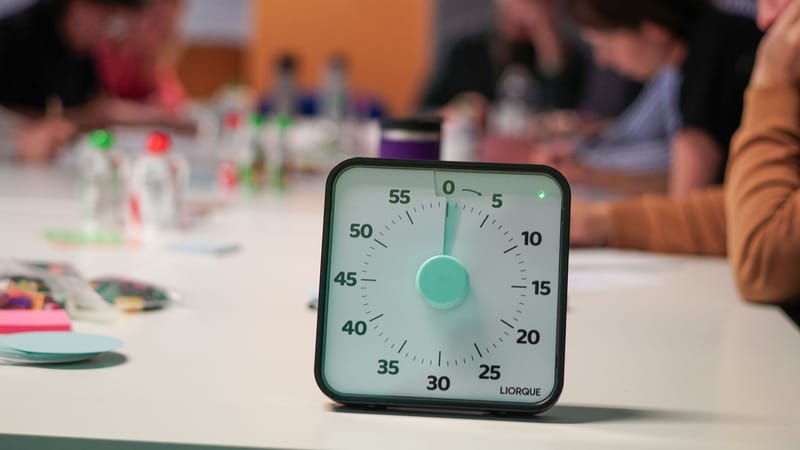
Research review
Does the Pomodoro Technique Work? What Studies Show
Two one-session studies with students compared Pomodoro breaks with other break schedules. What they measured, what they found, and how to pick a session length.

Myth check
Does Having Your Phone Nearby Reduce Brainpower?
The 2017 brain drain study, a failed replication and two meta-analyses: why a silent phone nearby matters little, and why notifications are a different story.
Myth check
Is Your Attention Span Shrinking? The 8-Second Myth
Where the 8-second, shorter-than-a-goldfish figure came from, what attention researchers measure instead, and why switching habits are not shrinking capacity.